Sourcing branded rolling papers or cones is exciting, but are you worried about the final printing quality on custom hemp filter tips? You’re not alone. Many brands invest in custom designs only to be disappointed by smudged logos, inaccurate colors, or worse, unsafe ink that puts customers and their reputation at risk. The solution isn’t just hoping for the best; it’s adopting a systematic framework to evaluate suppliers and de-risk your investment from the start.
To check the printing quality on custom hemp filter tips, you must evaluate four key areas beyond a simple visual inspection. First, verify the ink is food-grade and certified safe for contact. Second, assess visual quality by checking color accuracy against your brand standards (e.g., Pantone), print clarity, and alignment. Third, perform physical tests for durability, such as a rub test and tape test, to ensure the ink won’t smudge or flake. Finally, confirm the supplier’s quality control process for maintaining consistency across a bulk order.
Now that you have the quick answer, you can see that a proper check is more than a glance. It’s a procurement and risk management process. Let’s explore the practical framework we use to help clients define their needs and ensure the final product truly represents their brand.
You’ve found a supplier who promises "high-quality" printing, but have you asked about the ink? Assuming the ink is safe is a common but dangerous oversight. Using non-compliant ink on a product that comes into direct contact with a user’s mouth can create serious health risks[1] and open your brand up to legal liabilities.
To properly verify ink safety, you must request food-contact safety documentation directly from the supplier for the specific ink they intend to use on your order. Never accept verbal assurances like "don’t worry, it’s safe." Always demand the official paperwork.

A common question we get from new buyers is whether food-grade ink is really necessary. The answer is an emphatic yes. The filter tip, or crutch, is held, placed in the mouth, and exposed to heat and moisture. In this environment, chemicals from non-compliant inks can potentially leach[2], posing a direct health risk to your customers. Beyond the safety issue, being associated with unsafe materials can permanently damage your brand’s reputation.
"Safe ink" is a vague claim. You need specific proof. When vetting a supplier, we guide clients to ask for the following:
Your supplier’s response to these requests is as important as the documents themselves. Be cautious if a supplier:
A trustworthy partner will understand the importance of these documents and provide them transparently. If they can’t or won’t, it’s a major red flag that they may be cutting corners on safety.
Your logo looks perfect on your computer screen, but will that translate to a tiny, absorbent hemp paper surface? Poor visual quality, such as dull colors, fuzzy lines, or misaligned graphics, can make a premium product look cheap and unprofessional. It completely undermines your branding efforts.
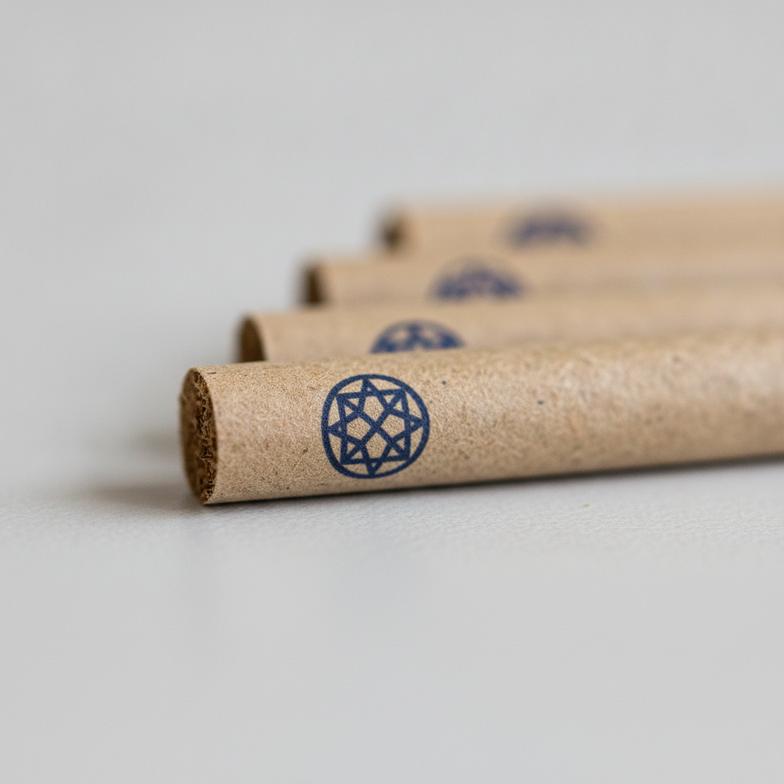
Good visual printing quality on custom hemp filter tips is defined by a combination of three critical factors: color accuracy that matches your brand’s specific palette, print clarity with sharp, crisp lines, and perfect registration accuracy ensuring all design elements align correctly.
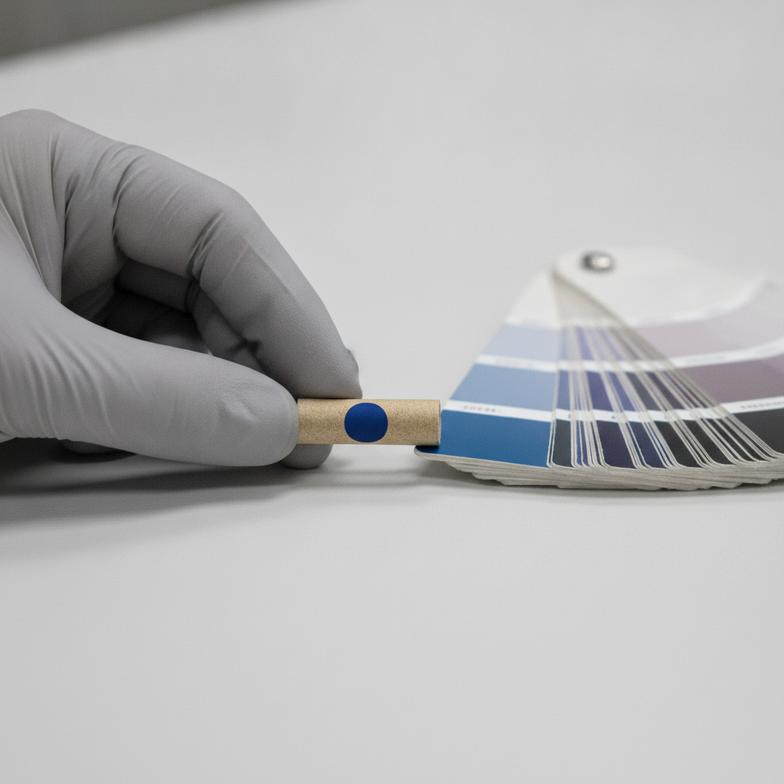
Many buyers focus only on whether the color "looks good." But a professional evaluation requires a more objective approach. Here is the framework we use to break down visual quality for our clients.
The most common reason for color disappointment is a mismatch in communication. Your screen displays colors in RGB, while printers use CMYK or spot colors (Pantone)[6].
Our advice: For logos and key brand elements, always provide your supplier with the exact Pantone codes. This removes subjectivity and creates a clear, objective standard for color matching.
Hemp paper is naturally porous and absorbent. This can cause ink to "bleed" or "feather," resulting in fuzzy edges and a loss of detail. A top-tier supplier knows how to manage this through:
When you receive a sample, use a magnifying glass to inspect the edges of your logo. Are they sharp and well-defined? Or are they fuzzy and indistinct?
If your design includes multiple colors or elements that are close together, registration is key. It refers to the precise alignment of each color layer. Imagine a two-color logo where the outline is shifted 0.5mm from the color fill—it immediately looks sloppy and low-quality. Perfect registration is a sign of well-maintained, high-precision printing equipment and a skilled operator. When checking your sample, pay close attention to where different colors or design elements meet.
You’ve received a sample, and it looks perfect. But what happens when it’s handled, packed into a box with other tips, or exposed to moisture? Ink that smudges, rubs off, or flakes away completely ruins the customer experience and makes your product feel inferior.
You can easily test print durability by performing simple, physical tests on a sample tip. The most common methods are the "rub test," where you use a finger or cloth to check for smudging, and the "tape test," where you apply and remove adhesive tape to see if the ink lifts off.
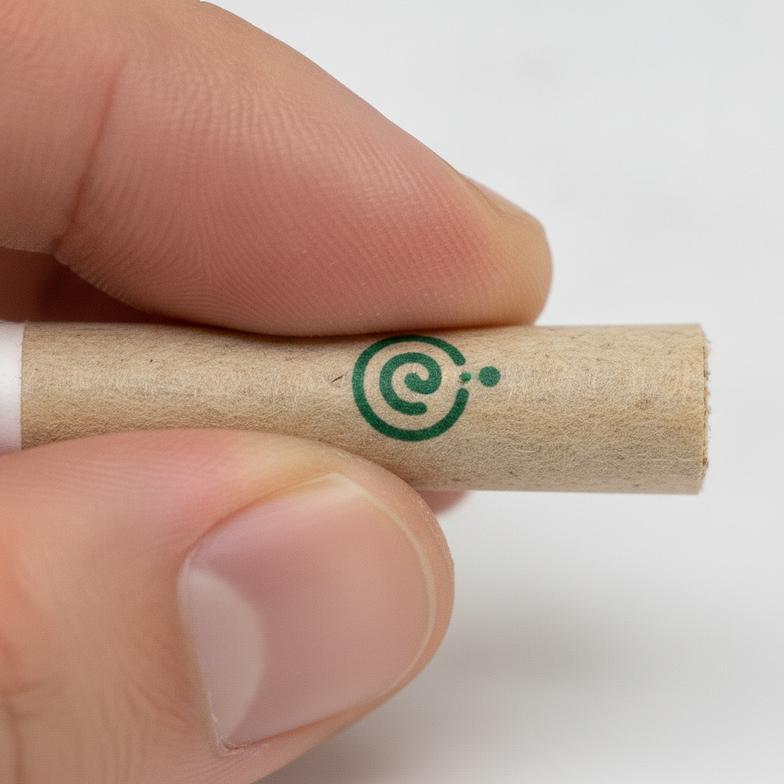
These tests might seem basic, but they are incredibly effective at revealing a supplier’s true commitment to quality. Poor adhesion is often a sign that a supplier has cut corners by using cheap ink or an improper curing process to save time and money. Here’s how to perform these tests correctly.
This test simulates the friction a filter tip endures during handling and use.
1. Dry Rub Test: Vigorously rub your thumb or a clean, white cloth over the printed area for 10-15 seconds. Check both your thumb and the cloth. Is there any color transfer? A high-quality print should show no smudging or transfer of ink. 2. Wet Rub Test: Lightly dampen a cotton swab or cloth with water and repeat the process. This simulates exposure to moisture from fingers or lips. While a very faint amount of transfer might be acceptable to some, a good print should hold up well with minimal to no color loss. Significant smearing is a major failure.
This is the stress test for ink adhesion. It reveals how well the ink has bonded to the hemp paper fibers.
1. Select Your Tape: Use a standard, clear office tape (like Scotch® Magic™ Tape). Avoid heavy-duty packing tape, as it can be too aggressive and tear the paper itself. 2. Apply Firmly: Press a strip of the tape firmly over the entire printed logo or design. Use your fingernail to rub it down and ensure full contact. 3. Peel It Off: Remove the tape with a single, quick motion at a 45-degree angle. 4. Inspect the Results: Examine both the tape and the filter tip. An excellent print will show zero ink on the tape. A good print might have a few microscopic specks. If you see visible flakes of ink or a noticeable portion of your logo on the tape, the adhesion is poor and will not withstand the rigors of packaging and handling.
We always tell our clients that a sample that fails these simple tests is a preview of a larger problem. It’s better to identify this issue with one sample than with a bulk order of 100,000 units.
Getting one perfect sample is easy for any supplier who wants your business. The real challenge—and the true test of a professional manufacturer—is maintaining that exact same quality across an entire production run of 50,000, 100,000, or even a million units. Inconsistency is a hidden cost that can lead to high defect rates, customer complaints, and long-term brand damage.
To ensure consistent printing quality on custom hemp filter tips for a bulk order, you must proactively discuss and verify your supplier’s Quality Control (QC) process before you place the order. Ask about their color tolerance standards (Delta E), how they manage print alignment over a long run, and their specific procedures for inspecting and removing defective units.
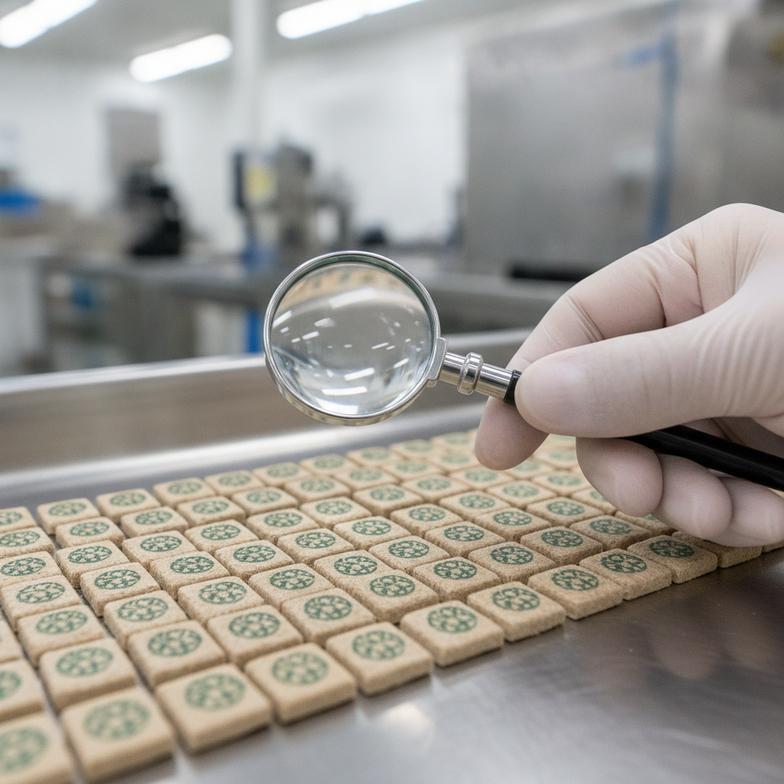
The transition from a single approved sample to mass production is where quality failures most often occur. Here’s how you can build a framework to protect your brand and ensure consistency.
Before you sign off on mass production, you should approve a final, pre-production sample. This isn’t just any sample; it’s what we call the "Golden Sample."
A professional supplier will have clear answers to these questions. A vague or dismissive response is a warning sign.
This dialogue shifts your relationship with the supplier from a simple transaction to a quality partnership. You are setting clear expectations and holding them accountable.
Pantone (PMS) uses pre-mixed, specific ink colors to ensure perfect brand color consistency. It’s ideal for logos with one or two specific colors. CMYK mixes Cyan, Magenta, Yellow, and Black to create a full range of colors, which is better for photographic or multi-color gradient designs but can have slight variations between batches. For brand consistency, always use Pantone.
Yes, but it requires a supplier with high-precision machinery. The main challenges are maintaining sharp detail on absorbent hemp paper and ensuring perfect registration (alignment) between the different color layers. Always request a physical sample of your complex design to verify the supplier’s capabilities before placing a bulk order.
For the best results, you should always provide your artwork in a vector format. The most common vector file types are .AI (Adobe Illustrator), .EPS, or .PDF (if saved from a vector program). Vector files can be scaled to any size without losing quality[11], ensuring your logo remains sharp and crisp on the final product.
The cost varies based on several factors: the number of colors in your design, the type of printing (CMYK vs. Pantone), and the order volume. A simple one-color Pantone logo will be more cost-effective than a full-color CMYK design. Generally, the cost per unit decreases significantly as order quantity increases.
Ultimately, checking the printing quality on custom hemp filter tips is not a simple pass/fail test; it’s a crucial part of your brand’s risk management strategy. By moving beyond a simple visual check, you can build a comprehensive evaluation framework. This involves verifying ink safety with proper documentation, objectively assessing visual quality for color and clarity, performing physical durability tests, and confirming your supplier’s process for bulk order consistency. This approach empowers you to protect your customers, your brand reputation, and your investment.
Whether you’re sourcing finished custom-printed products or looking to understand the manufacturing process behind them, having an experienced partner is key. If you have questions about custom printing on sustainable paper products, contact our team at PaperStrawTech. We help clients navigate these critical procurement decisions every day to build reliable supply chains.